Google’s guidance on custom 404 pages and its signals of a wider crackdown on SEO spam are the two items most likely to change your site work. The restaurant opt-out from ordering providers matters if you manage listings for food businesses. Below, the news is grouped by what it changes for a site owner, with ways to verify each item yourself.
Which Google Guidance and Local Controls Matter Most for SEO News?
Start with the 404 recommendation, because you can test it in minutes. A custom error page should keep the visitor on your site, with navigation, a search box or links to main sections, and it should return a real 404 status code. A friendly page that returns 200 is a soft 404, which sends crawlers a confusing signal about whether the URL exists. Request a deliberately broken URL, then check the rendered page and the HTTP response in your browser’s network panel or a header checker.
The spam signal is a reason to audit, not to panic. Review the parts of your site that look most like volume play: purchased or exchanged links, templated pages that differ only by a city or product name, and thin pages that exist to catch a query. If you could not explain to a reviewer why a page deserves to exist, improve, merge or remove it.
The restaurant opt-out is a control story. Restaurants can opt out of ordering providers appearing on their listing, which lets a business manage how customers order directly. If you run listings for restaurants, confirm who holds that control and what the listing currently shows.
| Story | Who it affects | First action |
|---|---|---|
| Custom 404 guidance | Any site with a custom error template | Test a broken URL for navigation and a true 404 status |
| SEO spam crackdown signals | Sites with bought links, templated or thin pages | Audit link sources and low-value pages |
| Restaurant ordering provider opt-out | Restaurants and agencies managing their listings | Review the listing and decide whether to opt out |
How Are Google’s AI Mode Ad Changes Affecting Search Growth?
Google has said lower AI Mode monetization weighed on search growth, and a privacy update now lets connected apps shape AI Mode ads. Both claims are about advertising, and they need careful reading.
Lower monetization is a Google-side revenue point. It says something about how well AI Mode turns searches into ad income compared with classic results. It is not a ranking change, and it does not mean your organic pages will rank differently. Treat it as context for why Google keeps adjusting ad formats, not as a trigger for content work.
The privacy update matters more for paid teams. It changes which data can inform ad targeting inside AI Mode, since connected apps can now contribute. That raises questions about audience definitions, consent language and how you explain targeting to clients. Your privacy notice and ad platform settings are the first places to look.
A reporting check you can run this week
Separate AI Mode traffic from standard organic wherever your analytics allows it. Depending on how Google passes referrer data and how your tool records it, AI Mode visits may be grouped with ordinary Google organic. Check what your setup can distinguish before you build a report on it.
- Pick a baseline window, such as the four weeks before the change, and a comparison window of equal length.
- Segment sessions by source and landing page, and flag any referrer or parameter that identifies AI Mode.
- Compare conversions and assisted conversions, not clicks alone.
- Record what you could not separate, so nobody reads a blended number as a clean one.
The impact will vary by account. A local service site and a large catalog retailer should not expect the same result.
Why Do AI-Cited Pages Answer Questions Right Away?
Pages that AI search tools cite more often tend to state the answer near the top rather than building up to it. This is a pattern in what gets cited, not a published rule from any AI provider, so treat it as a strong editorial habit rather than a guaranteed lever.
Two related signals explain why it matters. One observation holds that looking things up now rivals writing as a use case in ChatGPT. If that holds for your audience, a large share of AI interactions are questions, and questions reward pages that answer them cleanly. Separately, Google CEO Sundar Pichai has framed search as being absorbed into an agentic layer, where software acts on a user’s behalf instead of returning a list of links. Both are statements about direction. Neither tells you how any engine selects a page to cite.
The practical implication is shared. A system that retrieves text to answer a question favors passages that can stand alone. A page that spends four paragraphs on background before it gives the answer makes extraction harder.
Answer-first checklist
- Lead with a one-sentence answer directly under the heading or title.
- Use a heading that matches the question a reader would actually ask.
- Keep supporting detail, caveats and examples below the answer.
- Read the first 50 words alone. If they do not answer the question, rewrite them.
If your team is newer to the fundamentals behind this, the beginner’s guide to SEO covers the basics of how pages earn visibility.
Which WordPress and Shopify Updates Affect Site Owners?
WordPress has shipped another security release, version 7.1.4, and Shopify has retired its knowledge base app and moved AI agent facts into the admin. One is routine maintenance. The other asks you to look at where your business facts live.
WordPress 7.1.4
Treat this as a standard patch step. Check the installed version in your dashboard, update, and confirm that plugins and themes are current too. Security releases only protect you once installed. If you manage several sites, record the version on each so a lagging install stands out. Take a backup first, and test a few key templates and forms afterward. Follow your own routine, whether that is auto-updates, a managed host or a staging process.
Shopify’s knowledge base app and AI agent facts
The change moves business facts such as hours, policies and product details into a managed location in the admin, where AI agents use them to answer questions about a store. The practical risk is duplication. If the same information sits in the old app, in theme pages, in an FAQ and in the admin, an agent may pull a stale version.
- List every place your store states returns, shipping, hours and product specifics.
- Identify which version is correct, and move or confirm it in the admin location.
- Remove or redirect outdated copies, including leftover content from the retired app.
- Re-check after any policy change so the admin stays the single source.
Exact steps depend on your theme, apps and markets, so check Shopify’s own documentation before deleting anything.
How Should Readers Track SEO News Without Chasing Every Headline?
Track SEO news from primary sources first, starting with the Google Search Central blog and the Search Status Dashboard, then use trade coverage for context. The blog carries Google’s own announcements and guidance. The dashboard shows incidents and ranking system updates as Google records them. Aggregators are useful for discovery, but their headlines can lag or misstate the original, so read the source before you act.
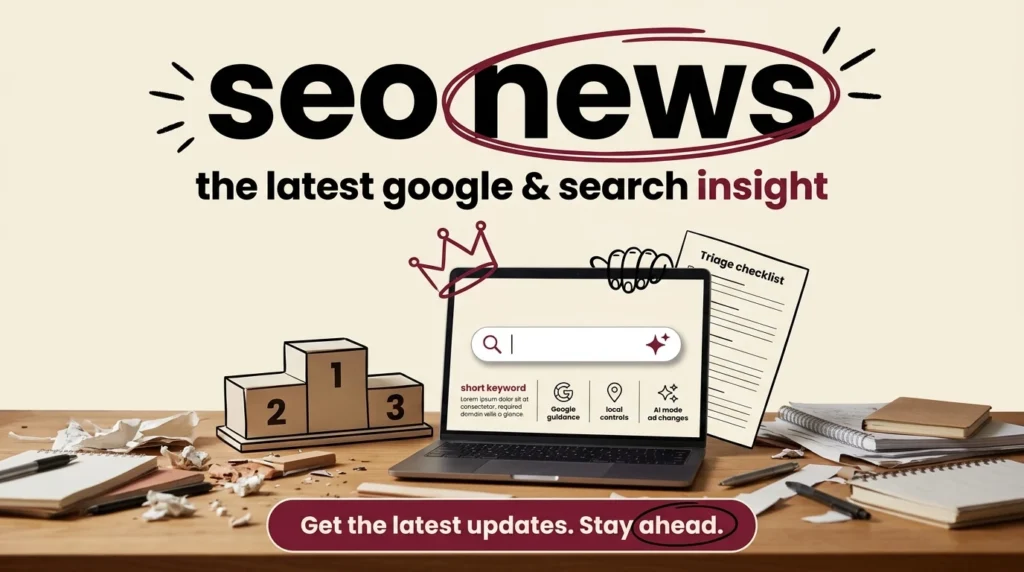
Triage checklist
- Confirm the change from Google or the platform vendor, not from a summary of a summary.
- Check whether it affects your site type, such as local business, store, publisher or SaaS.
- Decide whether it needs action this month or only monitoring.
- Log the decision with the date, the source link and the owner.
The log is the part teams skip. It turns a stream of headlines into a record you can consult when traffic moves and someone asks what changed. One line per item is enough.
Apply the same filter to everything here. The 404 test, the link audit and the WordPress patch need action. The AI Mode ad story needs monitoring and a reporting check. The answer-first habit is worth building into your editing process whatever the next headline says.
Frequently asked questions
Start with primary sources: Google's Search Central blog for official guidance and the Search Status Dashboard for confirmed ranking and rollout incidents. Trade publications add analysis and context, but check each item's date and original source before acting on it. Search policy and product names change quickly, so a headline without a dated source is a weak basis for a site change.
Google announces mobile-related search changes on its Search Central blog and logs confirmed rollouts on the Search Status Dashboard. Trade news sites usually follow shortly after, so the dashboard is the quicker way to confirm whether a change has begun. Compare any mobile-specific claim against Google's own wording before changing templates or testing priorities.
Publishers generally keep article pages fast, put a clear answer to the story's main question near the top, and show accurate publication and update dates. Clean, crawlable archives and a sitemap that updates with each publish help search engines find new coverage. Retiring or redirecting expired stories on purpose keeps crawl errors from piling up in Search Console.
Begin with crawlability: confirm that section pages, tag pages and archives are reachable and that the sitemap lists current stories. Write headlines that state the specific subject rather than generic labels, and give each story a unique title and meta description. Review Search Console regularly for errors on old or removed articles and set a written policy for when to update, redirect or retire them.

Kush Desai
Kush Desai is the CEO and Founder of Source Code Lab, building production-grade AI agents and automations for enterprise operations. With 80+ systems shipped across 25+ clients in 13 industries, he specializes in deploying agentic AI systems that work reliably in manufacturing, pharma, oil & gas, and industrial operations.
See full bio and all articles